Professional Data Recovery: Recovering Your Photos, Documents, and Critical Files
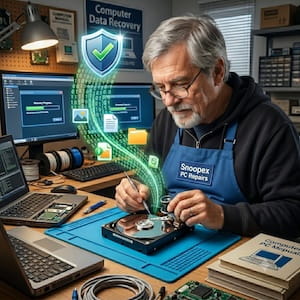
Losing access to your digital life is an immediate, gut-wrenching experience. Whether it is a decade of
family photos, a critical thesis paper, or years of business accounting, the "Drive Not Recognized" or
"Disk Must Be Formatted" error message can feel like a finality.
However, data loss is rarely permanent. If your hard drive, laptop, or USB stick is still spinning but
your files have vanished, you are likely facing logical data loss. At Snoopex
PC Repairs Campbelltown, we specialize in professional software-based recovery, utilizing
advanced
forensic tools to retrieve data that standard consumer software simply cannot see.
Understanding the Difference: Why Professional Recovery Matters
Many users’ first instinct is to download a "free" recovery tool found via a search engine. While
well-intentioned, this is often the most dangerous thing you can do to a failing drive.
The Professional Edge:
- Imaging First: We never work directly on your original device. We create a
bit-level clone (image) of the drive to ensure that if the hardware's health degrades during the
scan, your data remains safe on our secure servers.
- Bypassing Bad Sectors: Consumer software often hangs or crashes when it hits a "bad
sector" (a physical spot on the disk that is hard to read). Our professional hardware-assisted
software can skip, retry, and map around these obstacles.
- File Carving: When a file system is corrupted, the "map" of your data is gone. We
use raw "carving" techniques to identify file signatures (like the specific header of a JPEG or PDF)
to rebuild your files from scratch.
Common Data Loss Scenarios We Solve
We provide expert recovery services for a wide range of logical failures across Windows, macOS, and Linux
platforms.
1. Hard Drive & Laptop Recovery
Mechanical drives and SSDs often suffer from file system corruption or "bit rot." If your laptop boots to
a blue screen or your external drive is "RAW," the data is usually still there—the computer has simply
lost the ability to read the index. We reconstruct these indexes to restore your original folder
structure and filenames.
2. USB Flash Drive & SD Card Recovery
USB sticks are prone to "logical exhaustion" and improper ejection errors. Because flash memory handles
data differently than spinning disks, we use specialized algorithms to reassemble data fragments that
have been scattered across the drive’s NAND chips.
3. Accidental Deletion & Formatting
Formatting a drive doesn't actually "erase" the data; it just tells the computer that the space is now
"available." As long as you haven't saved new files over the old ones, we can typically recover
100% of your deleted documents and photos.
Our Proven Recovery Process
We believe in transparency. Recovering data shouldn't be a mystery. Our process is designed to be safe,
secure, and stress-free.
- Free Initial Consultation: We discuss the symptoms of your device to ensure
software-based recovery is the right path.
- Safe Forensic Imaging: We create a "sector-by-sector" clone of your media to
protect the original data.
- Deep Scan & Analysis: Using industry-leading forensic tools, we scan the clone
for lost partitions, deleted headers, and corrupted file systems.
- File Verification: We don't just give you a pile of data; we verify that the
recovered files are actually openable and uncorrupted.
- Secure Delivery: Your recovered data is moved to a new, encrypted drive or a secure
cloud link for you to download.
Comparison: DIY vs. Professional Software Recovery
| Feature |
DIY Home Software |
Snoopex PC Repairs Service |
| Risk of Overwriting |
High (Software installs on the drive) |
Zero (We work on isolated clones) |
| Success Rate |
30% - 40% on failing media |
90%+ for logical issues |
| Corrupted File Repair |
Rarely included |
We attempt to "fix" broken headers |
| Technical Support |
None (You are on your own) |
Direct access to the technician |
When Software Recovery Isn’t Enough (The "Clicking" Rule)
While software recovery is incredibly powerful, it cannot fix a broken motor or a shattered read/write
head. To save you time and money, we look for "Physical Failure" symptoms immediately:
- The "Click of Death": A rhythmic ticking sound.
- Grinding or Screeching: Signifies a head crash.
- No Power: The drive doesn't spin or vibrate at all.
Note: If your drive is making these sounds, unplug it immediately.
Software attempts on a physically failing drive can cause permanent "platter scratch," making data
unrecoverable even for a cleanroom.
Service Areas
We provide professional data recovery and computer repair services across the Macarthur Region, including:
Our "No Data, No Fee" Guarantee
We believe you shouldn't have to pay for a service that doesn't yield results. That’s why we back our
work with a strict No Data, No Fee policy. If your media is too severely corrupted or
damaged for software-based extraction, and we are unable to recover your critical files, there
is absolutely no charge to you. You only pay when we successfully rescue your data.
Ready to get your files back?
Don't risk further data loss by waiting. Contact us today for a free diagnostic and let’s get your
digital life back on track.